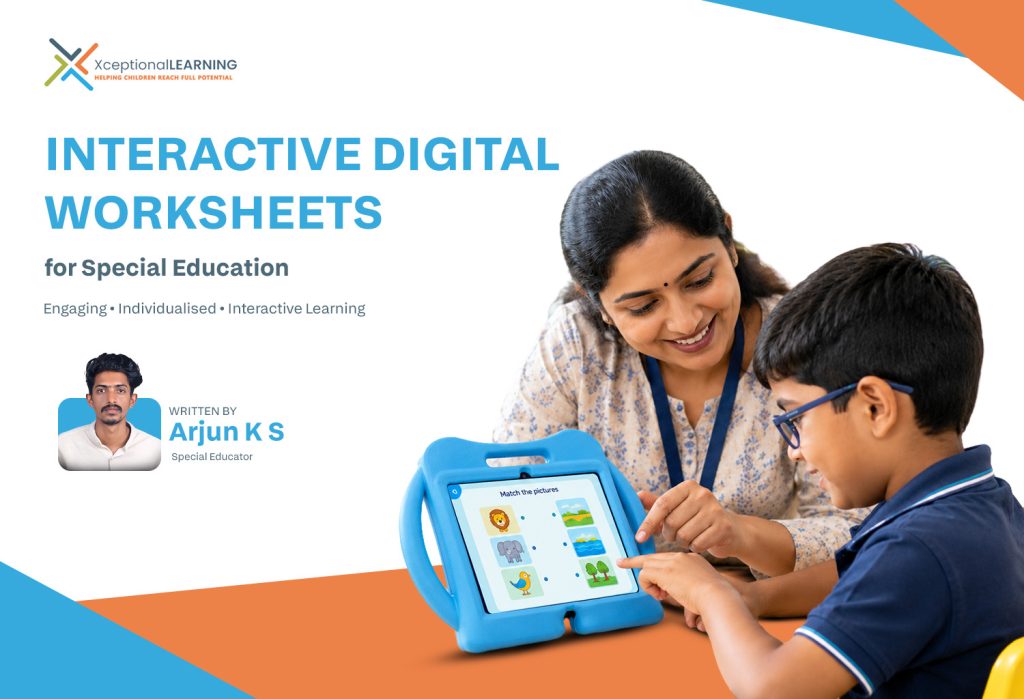
How Interactive Digital Worksheets Can Make Special Education Classrooms More Engaging
admin September 23rd, 2026

Written By Arjun K S
Special Educator
Moving Beyond Traditional Worksheets Through Interactive Learning
Every learner engages with information differently. In special education classrooms, students may differ significantly in their cognitive abilities, communication skills, attention span, motor abilities, academic readiness, and pace of learning.
Traditional worksheets can support structured practice, but they often provide limited opportunities for direct interaction with the learning content. Interactive digital worksheets offer a different approach: they allow teachers to transform learning tasks into active, participatory, and individualised experiences where students interact directly with the learning content.
For learners with diverse educational needs, this shift can make classroom activities more engaging while giving teachers greater flexibility to adapt tasks according to individual learning levels.
At XceptionalLEARNING, educators can create and assign interactive activities through VergeTAB, also referred to as the Digital Activity Book, allowing learning tasks to be adapted to individual classroom objectives and learner needs.
From Completing Worksheets to Interacting With Learning
The primary difference between a traditional worksheet and an interactive digital worksheet is how students interact with the learning content.
Instead of simply looking at a question and writing an answer, students can move objects, select options, arrange pictures, identify images, complete sequences, and respond to questions directly on the screen.
This creates opportunities for students to:
- Make choices
- Respond independently
- Explore different answers
- Practice skills repeatedly
- Review their responses
- Complete tasks at their own pace
- Participate more actively in classroom activities
For teachers, these interactions provide greater flexibility to design activities at an appropriate level of difficulty and adapt the task according to each learner’s abilities and learning needs.
Drag-and-Drop Activities: Learning Through Action
Drag-and-drop activities turn learning into a physical interaction with the content. For example, a teacher can ask a student to:
- Drag fruits into a basket
- Match objects with their correct categories
- Place numbers in the correct order
- Move an object to its corresponding shadow
- Sort household items into different groups
For students who find conventional writing tasks challenging, drag-and-drop activities provide an alternative way to demonstrate understanding. They can provide opportunities to practise skills such as visual discrimination, categorisation, sequencing, hand-eye coordination and task completion.
Matching Activities: Building Connections Between Concepts
Matching is a fundamental learning skill that can be adapted to numerous educational goals. Digital worksheets can include activities such as:
- Animal → Habitat
- Fruit → Name
- Number → Quantity
- Object → Use
- Emotion → Facial Expression
- Shape → Corresponding Shape
These activities encourage students to identify relationships between concepts rather than simply memorising information. Teachers can also adjust the number of choices and the complexity of the matching task according to the learner’s current ability.
Click-and-Choose Activities: Encouraging Independent Decision-Making
Click-and-choose activities provide students with opportunities to make decisions independently. A worksheet might ask:
- Which object is a fruit?
- Click the red colour.
- Which animal lives in water?
- What should you use to brush your teeth?
The student selects an answer directly from the available options. This simple interaction can support recognition, discrimination, decision-making, and independent responding.
For learners who experience difficulty expressing their knowledge through speech or writing, selecting an appropriate visual option can provide another meaningful way to demonstrate understanding.
Sequencing Activities: Understanding Order and Routine
Sequencing activities are particularly useful when teaching concepts that depend on order. Teachers can create tasks involving:
- Getting ready for school
- Washing hands
- Brushing teeth
- Preparing simple food
- Following classroom routines
- Arranging numbers
- Understanding a story sequence
Students can arrange pictures or steps into the correct order. These activities can support logical thinking, chronological understanding, task organisation, and functional independence. Sequencing also allows teachers to connect academic learning with everyday routines, making classroom instruction more meaningful.
Picture-Based Activities: Making Concepts More Accessible
Pictures can make abstract or unfamiliar concepts easier to understand, particularly for students who benefit from visual representations. Interactive digital worksheets can use photographs, illustrations, symbols, or familiar objects to create activities around:
- Vocabulary development
- Object identification
- Emotions
- Community places
- Household objects
- Animals
- Food items
- Safety signs
- Daily routines
For example, instead of asking a learner to read the word “apple”, the worksheet can present several pictures and ask the student to identify the apple. This creates a more accessible learning pathway while allowing teachers to gradually move from concrete visual representations towards more abstract concepts.
Interactive Quizzes: Turning Assessment Into Participation
Assessment does not always need to be a separate activity at the end of a lesson. Interactive quizzes can be incorporated directly into digital worksheets to check understanding during learning. Teachers can create questions involving:
- Multiple-choice responses
- Picture identification
- True or false activities
- Number recognition
- Vocabulary
- General awareness
- Curriculum-based concepts
Because the student interacts directly with the questions, assessment can become a more engaging classroom experience rather than a purely evaluative process. Teachers can use these activities to identify areas where additional instruction or practice may be required.
Fill-in-the-Blank Activities: Developing Academic Skills
Fill-in-the-blank activities can be used when students are ready to move towards more conventional academic responses. Examples include:
- 1 + 2 = ___
- The sun rises in the ___.
- My name is ___.
- Monday comes before ___.
Digital fill-in-the-blank activities can be adapted according to the student’s academic level, making them useful for language, mathematics, general knowledge, and functional academics. They also provide a gradual transition from recognition-based activities towards more independent academic responses.
One Learning Goal, Multiple Ways to Participate
One of the greatest strengths of interactive digital worksheets is that the same learning objective can be taught through different activity formats. For example, if the learning goal is to identify colours, a teacher could create:
- A click-and-choose activity to identify red
- A matching activity to match objects with colours
- A drag-and-drop activity to sort objects by colour
- A picture-based activity to identify colours in real-life objects
- An interactive quiz to assess recognition
This allows teachers to approach the same concept from different directions without simply repeating the same worksheet. It can also help teachers identify which type of interaction is most effective for an individual learner.
Supporting Differentiated Instruction
A classroom may include students working towards different learning objectives at the same time. Interactive worksheets make it easier for teachers to differentiate activities by modifying:
- Number of questions
- Difficulty level
- Number of response choices
- Visual complexity
- Type of interaction
- Amount of prompting
- Expected response
- Content and vocabulary
For example, while one student may identify colours by clicking on the correct option, another student may sort multiple objects according to colour. Both students are participating in the same broad learning area, but the activity is adapted to their individual learning level.
Interactive Learning for Special Education
XceptionalLEARNING supports special schools and inclusive education environments with structured digital learning solutions that can be adapted to classroom objectives and individual learner needs.
Making Students Active Participants
Interactive learning changes the role of the student from a passive recipient of information to an active participant in the learning process. A student is not simply watching the teacher demonstrate a concept. They are required to:
Observe → Understand → Choose → Respond → Adjust → Complete
This repeated interaction can make classroom learning more purposeful. For students who require additional opportunities for practice, digital activities can also provide structured repetition without making the learning experience identical every time.
Supporting Teacher-Led and Individual Learning
Interactive digital worksheets do not need to replace teacher instruction. They can work alongside conventional teaching methods. A teacher can introduce a concept using real objects or classroom demonstrations, explain the concept, and then use an interactive worksheet to provide individual practice. For example:
Teacher instruction → Demonstration → Interactive activity → Individual practice → Review
This approach allows the teacher to remain central to the learning process while technology provides additional opportunities for participation and practice.
Extending Learning Beyond the Classroom
Interactive worksheets can also support continuity between school and home. Through the Digital Activity Book on VergeTAB, assigned activities can provide students with opportunities to practise targeted skills beyond classroom hours.
This can help create greater consistency in areas such as:
- Academic practice
- Functional skills
- Vocabulary
- Recognition tasks
- Daily routines
- Communication-related activities
- Concept reinforcement
Parents and carers can also become more aware of the skills being practised at school, supporting greater continuity between learning environments.
The Role of XceptionalLEARNING and VergeTAB
XceptionalLEARNING brings these interactive possibilities into a structured digital learning environment through VergeTAB, also referred to as the Digital Activity Book. Educators can use interactive activities aligned with their classroom objectives and individual learner needs.
The focus is not simply on converting paper worksheets into digital formats — it is about reimagining what a worksheet can become. Powered by the XceptionalLEARNING platform, a digital worksheet can become an interactive learning space where students make choices, manipulate information, solve problems, practise skills, and demonstrate their understanding.
Conclusion
Interactive digital worksheets are helping special education move beyond the limitations of one-format, paper-based learning. By using drag-and-drop, matching, click-and-choose, sequencing, picture-based activities, interactive quizzes, and fill-in-the-blank tasks, educators can create learning experiences that encourage students to participate rather than simply complete worksheets.
More importantly, these activities can be differentiated according to each learner’s abilities, goals, and pace. With XceptionalLEARNING and VergeTAB, traditional worksheets can evolve from static pages into more interactive, individualised and purposeful learning experiences.
In special education, meaningful technology is not about making learning more complicated. It is about creating more ways for every learner to participate, respond, practise, and progress.
Bring Interactive Digital Learning Into Your Institution
Special schools and inclusive education programmes can use XceptionalLEARNING to introduce structured digital activities alongside classroom instruction, individual learning goals and existing educational practices.